
Where would us lowly production types be without the apparent war going on between manufacturers of digital processors. In an effort to make the best product they can for the budget minded, starving musicians of the land, these laboratories of mad microchip scientists keep churning out better processors for less money than their last one.
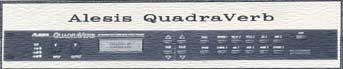 A few months ago we did our Test Drive on the MULTIVERB from A.R.T., and we were excited that the MULTIVERB offered THREE effects at once! This month we couldn't pass up FOUR effects at once in the QUADRAVERB from Alesis. (Do you get the feeling these 2 companies keep a close watch on one another?)
The unit fits in one rack space and comes with an input knob, an output knob, 16 buttons to play with, and an LCD display that gives you a pretty easy to understand readout of what's going on. The 24-bit processing and 16-bit digital resolution give you a clean response of 16Hz to 20kHz. Programming the QUADRAVERB is easy enough that the experienced user of digital processors can probably set the manual aside and go right to work. The unit will store up to 100 programs and comes with 90 factory programs which can be changed and stored with the changes. If you wish, any or all of the 90 factory programs can be recalled easily.
A little more on the programs in a moment. Right now, let's get to the "QUAD" part of the processor. There are 4 basic effects available. They are reverb, delay, pitch shifting, and EQ. In the "QuadMode", you can have all 4 of these at work at the same time, and you have individual controls over each effect. There are several types of reverbs, several types of delays, several types of pitch shifting, and several types of equalizers to choose from.
The reverb department offers 5 types of reverb: Room, Chamber, Hall, Plate, and Reverse. Adjustable parameters available with each reverb include Decay, Diffusion, Density, Low Frequency Decay, and High Frequency Decay. The reverb also has a gate which can be used if desired. The gate parameters include Gate Hold, Gate Release, and Gated Level which lets some of the reverb continue to decay even after the gate is closed. The reverb in the QUADRAVERB sounds good and gives you plenty of parameters for fine tuning the reverb if you desire.
The delay section of the QUADRAVERB offers 3 types of delays to choose from. They are Ping Pong Delay, Stereo Delay, and Mono Delay. Maximum delay time is 1.5 seconds in the Mono mode. In the Stereo and Ping Pong modes, each channel can have up to 750 milliseconds of delay. The Ping Pong delay bounces the output back and forth between the left and right channels. Delay time and feedback are variable for each delay. The 1.5 second delay time is a lot of delay for this little box, and it's very clean. There's a lot you can do with it.
The Pitch Change section of the QUADRAVERB should not be misunderstood. In radio production, we like to think of a pitch shifter as something that will make the receptionist up front sound like Darth Vader. However, the QUADRAVERB is designed for the musician first, as is evident by the names of many of the factory programs, and the Pitch Change section will not shift over a 2 or 3 octave range like some pitch shifters you might be familiar with. The Pitch Change function of the QUADRAVERB is used to create chorusing, flanging, phase shifting, and to detune the input. It is also used to create the common Leslie effect. Chorus, flange, and phase shifting are similar effects, but they are created differently. Unless you use the unit for music, you would most likely only use the flange effect, which is very good. The Detune parameter is the parameter that actually controls how flat or sharp the pitch will be shifted. The range of this parameter is enough for the musician looking for a 12-string guitar sound (about a half step), but it won't work if you want Darth Vader.
